
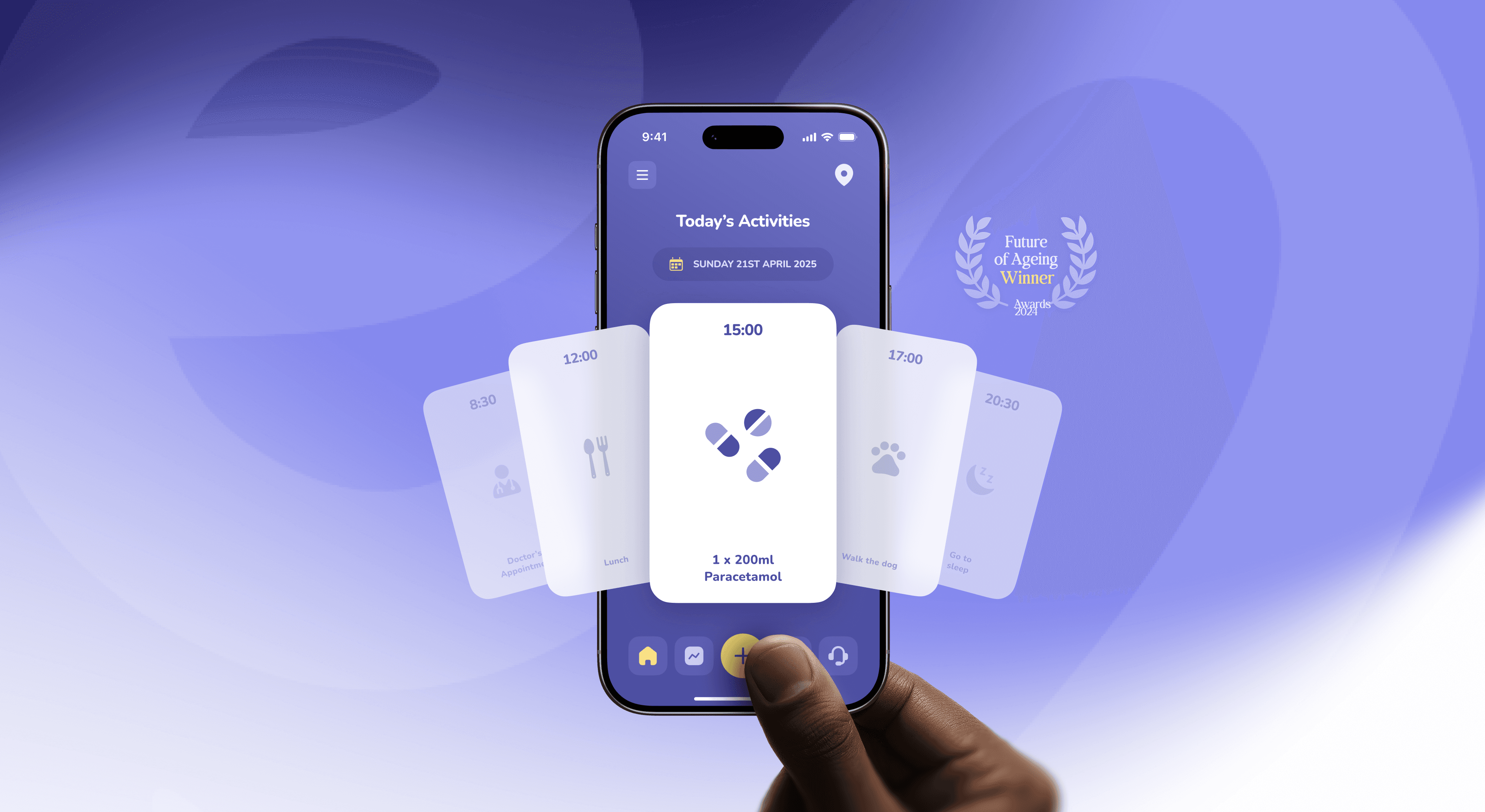
Designing tech for older adults that doesn’t feel like a pill box
How to design apps for older adults that are accessible and dignified, not patronising. Principles, a swap table and lessons from the Elli Cares app.
6 May 2026
The 12-point audit we run on every dashboard before redesign. Steal it.

Most SaaS dashboards aren't badly designed.
They're designed for the person who built them, not the person who uses them on a Tuesday at 2pm.
Here's the 12-point audit we run on every dashboard before we touch a pixel. Steal it and use it on yours this week. The whole thing takes about 30 minutes if you're honest with yourself.
We've audited more than 30 SaaS dashboards in the last two years. Same twelve problems. Every. Single. Time.
Not because the people who built them are bad designers. Most of them aren't designers at all. They're founders and engineers who shipped a working product, then stuck a dashboard on top because customers needed somewhere to look at their data. The dashboard works. It just doesn't work for the person who has to use it.
That's the whole game. Most dashboards solve a building problem (ship the data) instead of a using problem (help me make a decision in 30 seconds). The fix isn't a redesign. The fix is figuring out which of the twelve specific things has gone sideways, and then fixing the two or three that matter most.
Here's the audit we run. Run it on yours before you call anyone, including us.
The person who builds a dashboard knows the data model. They know which table the number comes from, why one column is null sometimes, and what the edge cases are. So they design a dashboard that exposes the data faithfully, with all its complexity, all its edge cases, all its caveats.
The person who uses the dashboard doesn't care about any of that. They have a question. They want an answer. If the dashboard makes them work to get the answer, it has failed, even if every number on it is technically correct.
This is the real test: open your dashboard. Ask yourself one question your user would ask on a Tuesday at 2pm. Time how long it takes to answer it.
Under 10 seconds: fine. 10 to 30 seconds: there's work to do. Over 30 seconds: your dashboard is broken in a way no redesign can fix without first answering harder questions.
Run this in order. Don't skip steps because they sound obvious: the obvious ones are usually where it breaks.
1. The five-second test.
Show your dashboard to someone who's never seen it. Five seconds, then close the laptop. Ask them: what's this for? If they can't tell you, the hierarchy is wrong.
2. The Tuesday-at-2pm question.
Pick the single most common reason a user opens this dashboard. Can they answer it without scrolling, clicking, or filtering? If no, you've buried the lead.
3. Number-to-decision ratio.
Count every number on the screen. Now count how many of those numbers a user could actually act on. The ratio should be at least 1:3. Usually it's 1:15.
4. The empty state.
Look at your dashboard with no data. Is it intelligible? Useful? Or does it just say "no data"? Empty states are where most dashboards quietly fail their first 50 users.
5. The loaded state.
Now look at your dashboard with too much data, the power user who's been on the platform two years. Does it scale gracefully or collapse into noise?
6. Comparison without context.
Every number worth showing is a comparison. Versus what? Yesterday? Last month? Goal? The cohort average? If a number sits alone with no comparison, you're asking the user to do work you should have done.
7. The colour audit.
Count how many colours are doing semantic work (red = bad, green = good, blue = neutral). More than four and the user is decoding instead of deciding.
8. The action question.
For every chart and number, ask: what action does this enable? If the honest answer is "none," it's decoration. Decoration is fine in moderation. Most dashboards have too much.
9. Loading and latency.
What does your dashboard look like for the first 800 milliseconds while data is fetching? If the answer is "a blank screen" or "a generic spinner," you're training users to feel like the product is slow.
10. The mobile reality.
30%+ of dashboard traffic is mobile, even for tools nobody thinks of as mobile. Open yours on a phone. Don't lie to yourself about how it looks.
11. The export problem.
Half of dashboard usage ends with the user copying a number into a spreadsheet, a Slack message, or a slide. If your dashboard makes that hard (no copy button, no export, no shareable link), your users are doing manual work you should be removing.
12. The "why am I here" test.
A user who lands on your dashboard via a notification or email link should know within one second why they're there. Not what the dashboard does in general. Why they specifically were sent here.
We can't share screenshots from client work without permission. But here's the shape of the most common improvements, scrubbed.
A B2B analytics dashboard, before: 24 charts on one screen, all the same size, all the same blue. Average time to answer "how did we do this week" was 47 seconds.
After: One number at the top: this week vs. last week, with the trend. Three secondary numbers below it. Everything else moved to a "deeper" view that opened on click. Time to the same answer dropped to 6 seconds. We didn't add anything. We took 18 charts out of the default view.
A fintech dashboard, before: Every transaction shown in a table, with 11 columns visible at once. Users were pinching to zoom on a desktop browser.
After: Three columns by default: when, what, how much. Everything else available on row click. Approval rate on the dashboard's primary action went up 22% in the next quarter. We didn't add the action. We made it easier to find.
A healthcare ops dashboard, before: Dense, defensive, full of disclaimers. The product team had been told by compliance to "show everything."
After: Same data. Different hierarchy. The numbers compliance cared about stayed visible. The numbers users needed to act on came forward. Compliance signed off in one meeting. Nothing about the actual surface had to be removed.
The pattern in all three: the redesign wasn't about adding craft. It was about removing things and re-ranking what was left.
Before you brief a designer (yours, ours, anyone's), answer these. The answers are the brief.
1. What's the single decision this dashboard exists to support?
Not three decisions. One. (You can have other dashboards for other decisions.)
2. Who is the primary user, and what's the second-most-common reason they open it?
Both matter. Most dashboards optimise for the first reason and break the second.
3. What's the one number that, if this dashboard did nothing else, would make the user say "good"?
That's your hero metric. Everything else is supporting cast.
4. What is the user usually about to do, immediately after looking at this dashboard?
Their next action shapes the whole layout. A dashboard you check before a meeting needs different things than one you check before approving a payout.
5. What can you remove?
This is the hardest question. Most teams haven't asked it in two years. The honest answer is usually "about half of it."
If you can answer these five honestly, your redesign is 70% done before a designer opens Figma.
Not every dashboard needs us. Here's the honest split.
Fix it yourself if: the audit reveals 1 to 3 issues, your team has a designer, and the underlying data model is fine. You don't need a studio for hierarchy, spacing, or removing 18 charts. You need a Tuesday afternoon.
Call a studio if: the audit reveals 6+ issues, the dashboard serves more than one persona poorly, the underlying data model has changed since the dashboard was built, or you've redesigned twice already and it still feels off.
The third one is the giveaway. If you've redesigned and it still feels off, the problem isn't design. It's that nobody has answered the five questions above out loud, with everyone in the room. We charge for the answer, not the Figma file. The Figma file is what comes after.
If you only have 30 minutes today: do the five-second test (point 1), the Tuesday-at-2pm test (point 2), and count your colours (point 7). Those three alone will tell you whether you have a small problem or a structural one. If two out of three come back ugly, escalate to the full audit. If all three come back clean, your dashboard is probably fine. Find a different thing to fix.
How long does a SaaS dashboard audit take?
A self-run audit using this 12-point checklist takes about 30 minutes. A formal audit by an outside team (including user interviews, data review and a written report) typically takes 5 to 10 working days.
What's the most common SaaS dashboard mistake?
Showing too much by default. Most dashboards optimise for completeness ("all the data is here") instead of decision speed ("I can answer my question in 10 seconds"). The fix is almost always removal, not addition.
Should I redesign my dashboard or fix the data model first?
Fix the data model first. A redesign on top of a confused data model just rearranges the confusion. If the audit reveals that the underlying numbers are inconsistent or the relationships between metrics aren't clear, that's a data problem, not a design problem.
How do I know if my dashboard needs a redesign or just a refresh?
A refresh fixes 1 to 3 issues from this audit and takes a designer about a week. A redesign addresses 6+ issues, usually requires re-interviewing users, and takes 4 to 8 weeks. If you're not sure which you need, do the five-question exercise above. If you can't answer question 1 in one sentence, you need a redesign.
Does Dtail Studio offer dashboard audits?
Yes. We run a fixed-scope SaaS Dashboard Audit: a 5-day engagement that produces a written audit, a prioritised fix list, and a Loom walkthrough. Book a call from this page if you'd like to scope one.
How to design apps for older adults that are accessible and dignified, not patronising. Principles, a swap table and lessons from the Elli Cares app.

Energy investors read a climate deck differently. What they look at first: technology readiness, unit economics, real installs and impact with a method.

Patients want independence, carers want reassurance. How to design one health app that serves both without turning care into surveillance.